SMS Marketing
 Updated
by
BCH Digital Support
Updated
by
BCH Digital Support
What is it?
An MO (Mobile Originating) service which allows a user to send a message to a Long Number (07x) or 5 digit Short Code using a keyword, eg: "text SALE to 78070/07777123456", and the user is then sent a configurable automated message back.
Reporting is then available for all responses to the keyword and STOP responses.
Accessing the service
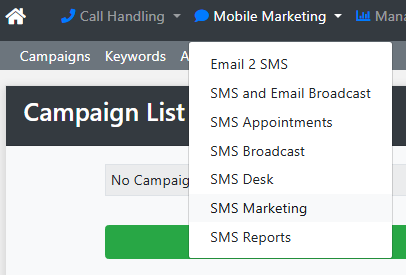
Go to Mobile Marketing > SMS Marketing
Create and Configure the Campaign
Create the Campaign
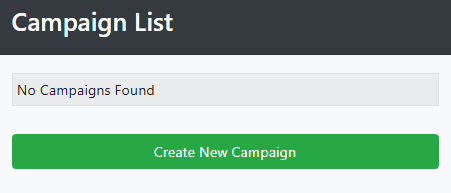
Click the Create New Campaign button
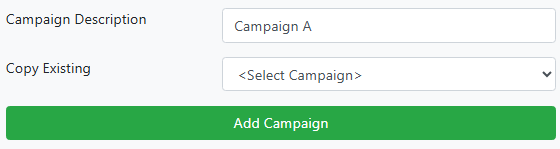
Give the campaign a description. If you want to copy an existing campaign select this from the dropdown. Click Add Campaign.
Configure the Campaign
Description
Update the name of the campaign.
Assigned Keywords
When keywords are created and assigned they will show here.
Reply Message
The message that is automatically sent back to the user who messaged into the service.
Reply Originator
11 digits for text (all one word, eg "NoReply" ✅ and not "No Reply" ❌) or numbers (eg a long number setup on another service)
Email Message
Send the responses of the service to an email address after each message into the service.
Broadcast Group
Any users messaging into the service can be placed directly into an SMS Group (SMS Broadcast).
POST to Script
The service can send responses to a configured endpoint in XML, JSON or Text.
Scheduled Dates
Set when users can message into the keyword.
Working Hours
Set at what hours will accept messages.
Special Dates
Set any days during a campaign that won't accept messages.
