Automated SMS Reports
 Updated
by
BCH Digital Support
Updated
by
BCH Digital Support
What is it?
A selection of reports that can be sent Daily/Weekly/Monthly to an email address, email address group or FTP server.
Where is it?
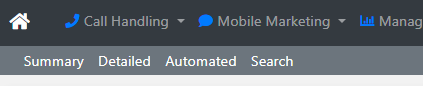
Go to Mobile Marketing > SMS Reports > Automated
Report Selection
Choose from 7 predefined reports:
- Detailed CDR Report. See SMS CDR Format for more detail.
- Received Messages
- Sent Messages
- Sent Messages by Account
- Sent Messages by Date
- Sent Messages by Service
- Sent/Received Summary
Sub Accounts
If you are a Reseller and have sub accounts you can setup reports based on the Sub Account.
Report Frequency
Have the report sent Daily, Weekly or Monthly.
Delivery
Send Email - Individual
Send Email - Group. See Email Groups for more detail.
File Transfer (FTP). See FTP Servers for more detail.
